Forum Index > Bug Reporting > Something went wrong
Page 1
Author
Thread Post
Hitchhiker
Level 60
The Sweet Tooth
Joined: 10/25/2014
Threads: 4
Posts: 75
Posted: 11/8/2014 at 11:52 AM
Post #1
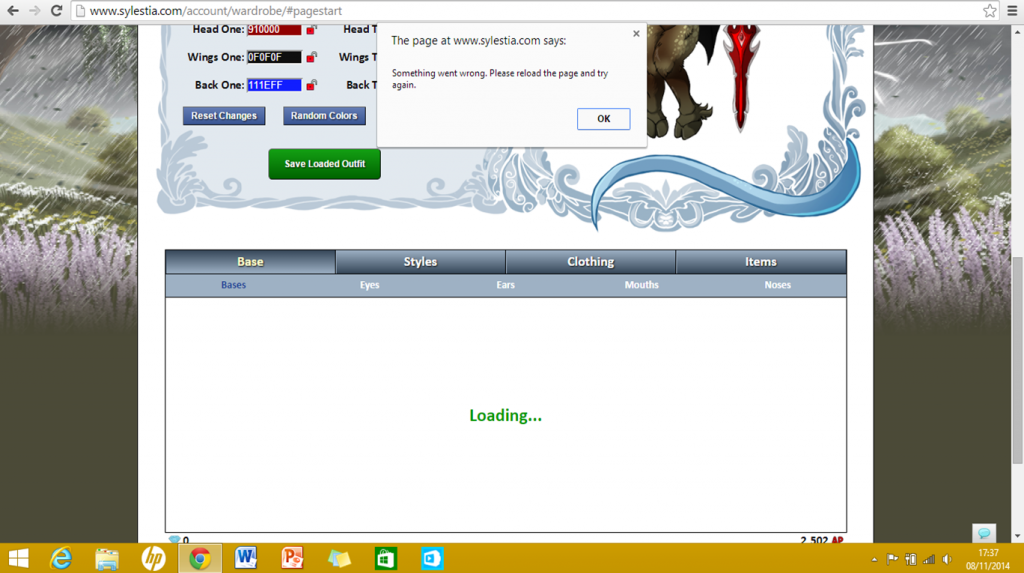
I'm not sure if this is a bug/glitch or if it's something to do with my computer, but recently whenever I try to change the hair, eyes or mouth on my avatar it comes up with this:
Naturally, I refreshed the page and tried again...and again...and again. I've tried deleting my cache and cookies, I've made sure Chrome is fully updated but nothing seems to work. Strangely it only happens on hair, eyes and mouth tabs while the rest are unaffected. If it helps, I think it started doing this after the first time I received a held item (worn mossy staff) and then used it in the inventory.
Krinadon
Level 75
Shadow of the Moon
Site Administrator
Joined: 12/17/2012
Threads: 1,247
Posts: 15,455
Posted: 11/8/2014 at 12:39 PM
Post #2
Hm. That's very odd. =\ Especially since the issue has persisted through cache clearing.
Are you able to try in a different browser? This would let me know if it's something related to your browser or your account. At a glance, I don't see anything wrong with your account that'd be causing this, but it would help to know for sure.
If it works in another browser, try going back to Chrome and go to the Wardrobe page. Hold down shift and press F5 like 5 times in a row - just spam it. Let it load and then try again.
Let me know what happens with all of that.
Hitchhiker
Level 60
The Sweet Tooth
Joined: 10/25/2014
Threads: 4
Posts: 75
Posted: 11/8/2014 at 12:54 PM
Post #3
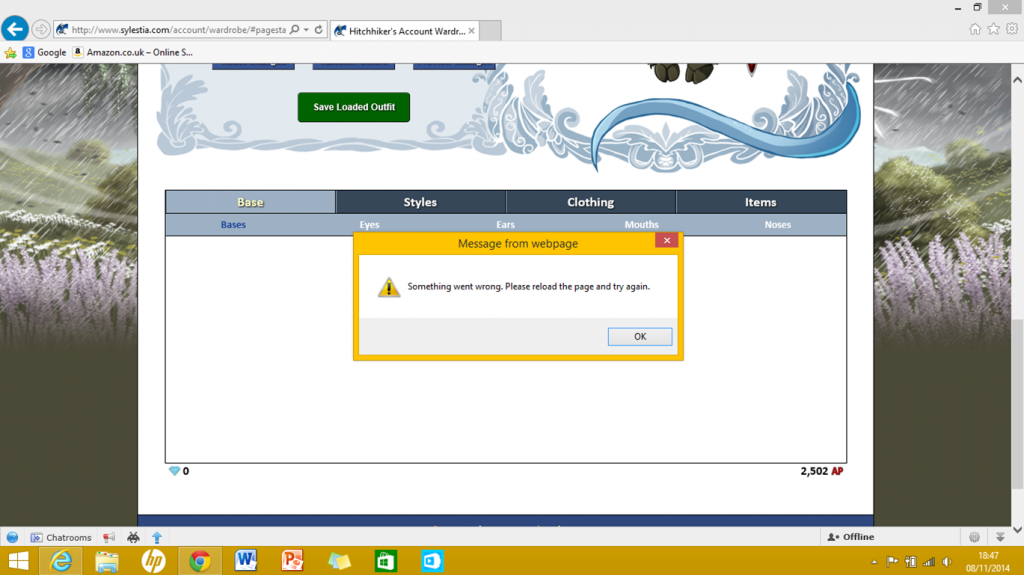
I tried it on internet explorer (the only other browser I have) and got the same message:
I really don't know what's going on :/
Krinadon
Level 75
Shadow of the Moon
Site Administrator
Joined: 12/17/2012
Threads: 1,247
Posts: 15,455
Posted: 11/8/2014 at 2:16 PM
Post #4
Okay. Must be something with your account then. I'll try to see what's going on when I get home later tonight.
Hitchhiker
Level 60
The Sweet Tooth
Joined: 10/25/2014
Threads: 4
Posts: 75
Posted: 11/8/2014 at 3:13 PM
Post #5
Awesome, thank you ^^
Krinadon
Level 75
Shadow of the Moon
Site Administrator
Joined: 12/17/2012
Threads: 1,247
Posts: 15,455
Posted: 11/9/2014 at 11:00 AM
Post #6
Hm. I don't see any issues with your account.
Are you familiar with the "Inspect Element" feature in Chrome? I can try to give you walk through steps.
Go to the wardrobe and do what you do to produce the error. When the error pops up, do this:
1. Right Click, click "Inspect Element"
http://puu.sh/cJH6n/aff45bf2c7.jpg
2. Then the Inspect Element window should pop up.
http://puu.sh/cJH97/bb5edb79ec.png
3. Now the hard part lol. You'll have to navigate through the arrows to find what I need. The first will be to open up the <div id="containerdiv" section. Then open the <table section right below it. Hopefully it looks something like below.
http://puu.sh/cJHva/52c725bd0c.png
4. Now, open up the fourth <tr> section
http://puu.sh/cJHCW/14f60564ad.png
5. Once that's open, scroll down to find the <div id="generalresponsediv" section and open it. I'd imagine there will be some text related to an error code. Either copy/paste what's inside the div section or just take a screenshot of the error so that I can see it.
http://puu.sh/cJHHd/ae139f92d3.png
If you're able to do all of that and get me the error code, I should be able to figure out what's causing the issues for you.
Edited By Krinadon on 11/9/2014 at 11:00 AM.
Hitchhiker
Level 60
The Sweet Tooth
Joined: 10/25/2014
Threads: 4
Posts: 75
Posted: 11/9/2014 at 1:24 PM
Post #7
Um so I fixed it momentarily.
I did what you said and caused the error to come up for the eyes tab and then tried to right click but nothing happened. I then refreshed and clicked on the eyes tab again, and it loaded and didn't come up with the error! I then did the same for the mouth and hair tabs and they then worked too. To check it would stay working, I went to my inventory and used a wardrobe item. I then went back to the wardrobe and it came up with the error again.
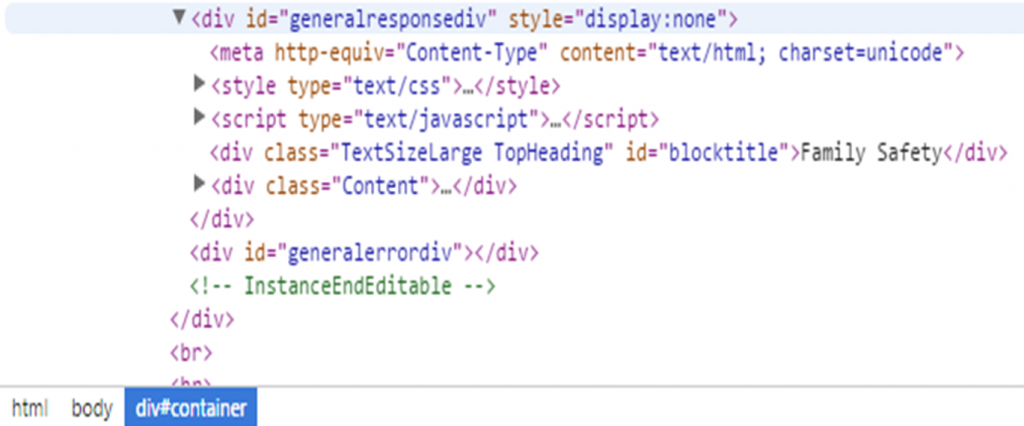
I then started the instructions again and it let me right click properly and it came up with this:
(I'm not sure if this is what you wanted to see or not)
Its also dawned on me that a possible reason it won't load it is that the family safety on my laptop won't allow the request of permission. However this is just an idea and I don't know for sure.
Krinadon
Level 75
Shadow of the Moon
Site Administrator
Joined: 12/17/2012
Threads: 1,247
Posts: 15,455
Posted: 11/9/2014 at 2:48 PM
Post #8
Looks like parental blocking (or family safety) setting on your computer/browser is blocking the page for some reason.
You can probably just whitelist sylestia.com or just reduce the level of security. I wouldn't be able to offer specifics though since this is an issue coming from your computer/browser.
But, shouldn't be too hard to find a fix now. =)
Hitchhiker
Level 60
The Sweet Tooth
Joined: 10/25/2014
Threads: 4
Posts: 75
Posted: 11/9/2014 at 3:03 PM
Post #9
Hopefully I can fix it then :) Thanks for helping
Krinadon
Level 75
Shadow of the Moon
Site Administrator
Joined: 12/17/2012
Threads: 1,247
Posts: 15,455
Posted: 11/9/2014 at 3:33 PM
Post #10
No problem. Let me know if you need any more help.
Confirm Action
Are you sure you wish to delete this post?
Confirm Action
Are you sure you wish to restore this post?
Confirm Action
Are you sure you wish to report this post?
Go to Top
This Page loaded in 0.011 seconds.
Terms of Service | Privacy Policy | Contact Us | Credits | Job Opportunities