Thank you very much for your response!!! I'm a big overthinker so I was just all in my head >> I will definitely at least breed tomorrow, for your dataz. xP But I am a little scared how expensive it will be for me for the rest of this year. v.v
Here is a little piece of feedback from what I played with today:
In the old menu where you could set your pet for breeding, it would be nicer if the "Create a Listing for this pet i the Breedings Ground" button, took you directly to where you can do it. As of currently, it takes you just to the breeding grounds page, which is just a bit jarring. Not a huge deal but it would be nice if it could take you directly to the listing part, just for, I guess, ease of use.
Yea - That stuff was all literal last minute as I was ripping out the old system. That should be completely do-able.
Sabre
Level 75
The Perfectionist
Joined: 11/4/2018
Threads: 10
Posts: 336
Posted: 10/20/2026 at 7:32 PM
Post #52
Edit: Thanks, Ephemeral! Sorry, please ignore me lol. I found how to search for my own pets from your image. It would definitely be nice to still see it integrated into the 'Search Stables' tab though
Frawn: I think you may have missed the 'Traits' tab next to 'Statistics' in the breeding ground(?) It should also show up after the 'Breed Pets' window. Unfortunately, you can't search for traits, but if you have dedicated stables/tabs for your projects it should make things go a lot faster ^^
Also, it isn't that much quicker, but you get a notification earlier if they're related when you try to save the pair
----------------------------------------------------------------------------------(Will remove this part soon :p)
I was a bit skeptical about what I've heard and seen from the snippets, tbh. But overall, I think I like the new breeding grounds. I really hated naming project pets just to avoid having to pull up AS. I like the hourglass icon next to pets that are recovering; I lost track of that a lot, so it's nice that it automatically updates. I'm mostly just glad I don't have to open two AS tabs again when breeding XD
I am a bit concerned about the short duration for listings and the limit on listings, though. I almost solely rely on my own pets for breeding, but when starting out with low stable space, it's hard to find suitable pets for breeding. There were few options for some themes, even when listings weren't limited, so I don't really like limiting the number of pets available for breeding. I don't think anyone was seeing their pets being bred that frequently or making any significant amount of gold from breeding fees; it's quite tedious, so I'm not sure why they have to be listed periodically and for only a short duration. I saw the way things are now is temporary, but just adding on to maybe extend the duration by at least a month or two and allow players to re-list multiple/all at once(?)
Some other suggestions:
- Remove the last confirmation?
Clicking 'Breed Pair'-->'Confirm Breeding'-->'Confirm' again, seems a bit much. I think maybe having that only show up when a philter is being applied is better for QoL
- Have something that selects the last male you bred, since many people tend to keep just a few males for one project.
- Show pets are related before the final confirmation or saving pairs.
Maybe have an icon like the hourglass that shows up when you already have one pet selected.
I appreciate you pointing out the traits, but it only lets me view one pet at a time. With 2-3 males and 10-25 females, I need to be able to see them all for picking the right matches. >.<
Ephemeral
Level 75
Sylestiologist
Joined: 11/29/2016
Threads: 172
Posts: 4,984
Posted: 10/20/2026 at 7:39 PM
Post #54
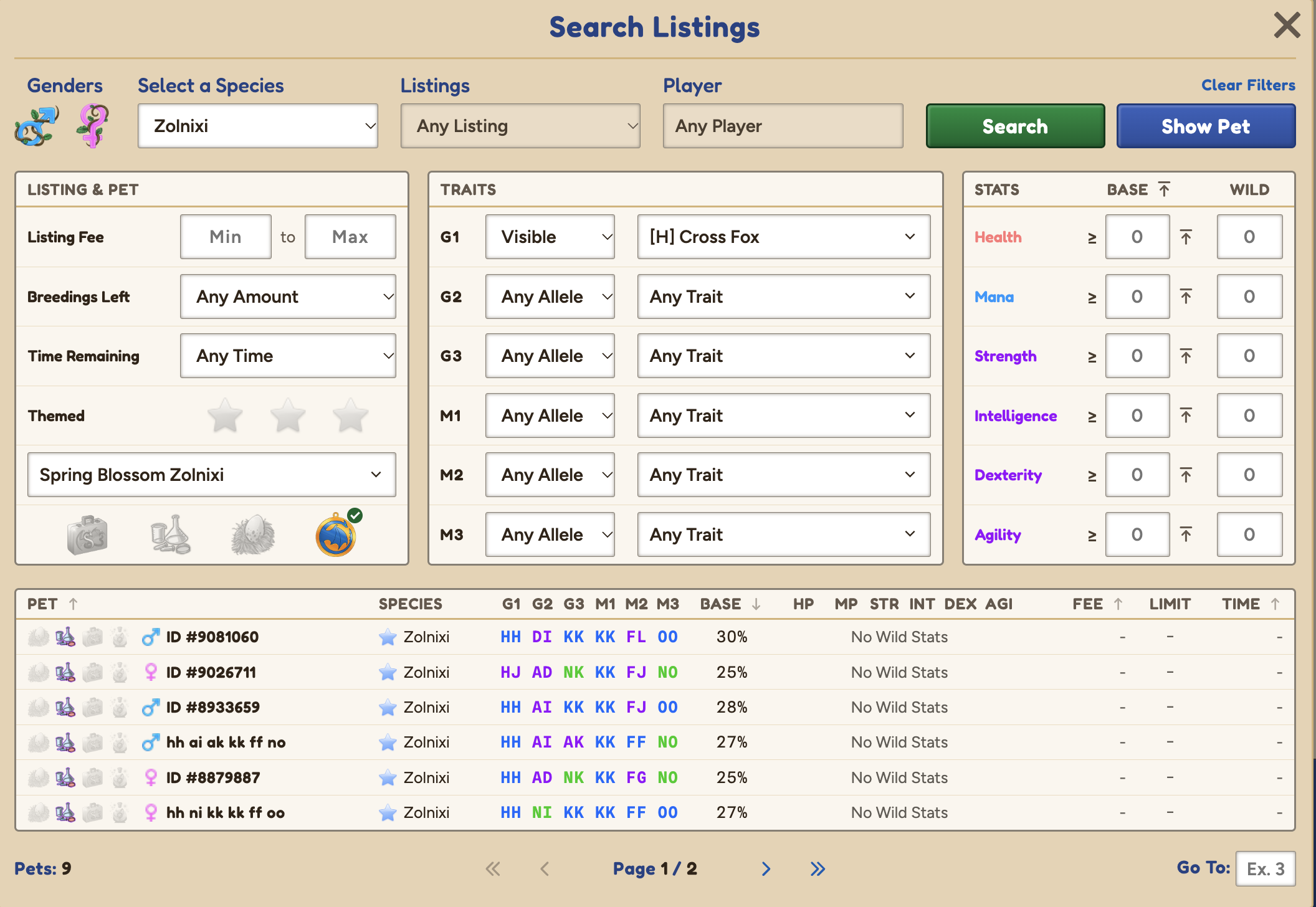
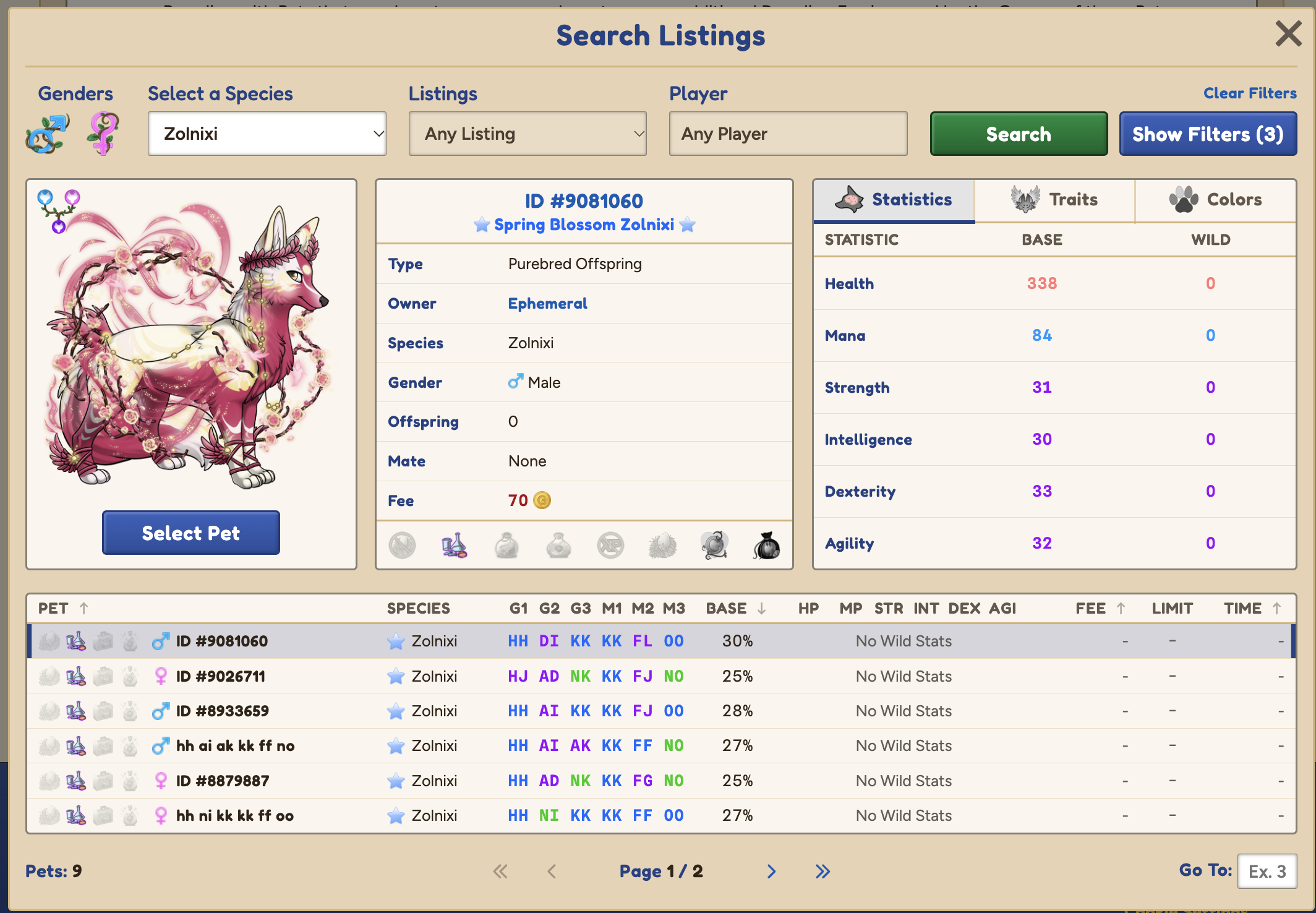
Not sure if I'm misunderstanding, but you should be able to do this through the Listings tab! Still a bit clunky that you need to reload each pet individually per breed though >.<
E.g.:
(and hitting select pet)
Frawn
Level 75
High Druid
Joined: 10/4/2014
Threads: 57
Posts: 2,531
Posted: 10/20/2026 at 7:52 PM
Post #55
Maybe I'm not seeing what you mean here (but I do appreciate the visuals to help explain). >.<
The "Search Listings" option only seems to let me look at other people's pets that have been listed for breeding, right? I'm talking about my own pets, not listed for public or private breeding. It seems like AS is still the only way for me to view direct, side-by-side trait comparisons (even if it's only five pets at a time) specifically for a particular theme I'm working on.
And while I can use the new "Search Listings" feature to browse ALL Sylvorpas for breeding, I can't narrow it down by theme, making it MUCH less useful to me as a themed-only breeder.
Is there a feature like this that I'm missing in the new system? Because I'd be happy to be corrected and enlightened.
Edited By Frawn on 10/20/2026 at 8:05 PM.
Meeku
Level 75
Guardian of the Realm
Joined: 7/20/2018
Threads: 33
Posts: 596
Posted: 10/20/2026 at 7:58 PM
Post #56
So far ive bred two pairs and had no problem saving them as a preset. Ill do more breeding later, so far it looks great.
The biggest thing for me right now is that I need the pets ID numbers shown with their names because thats how I identify between the similarly named pets i create.
Maybe I missed where the ID numbers are shown..?
Ephemeral
Level 75
Sylestiologist
Joined: 11/29/2016
Threads: 172
Posts: 4,984
Posted: 10/20/2026 at 8:02 PM
Post #57
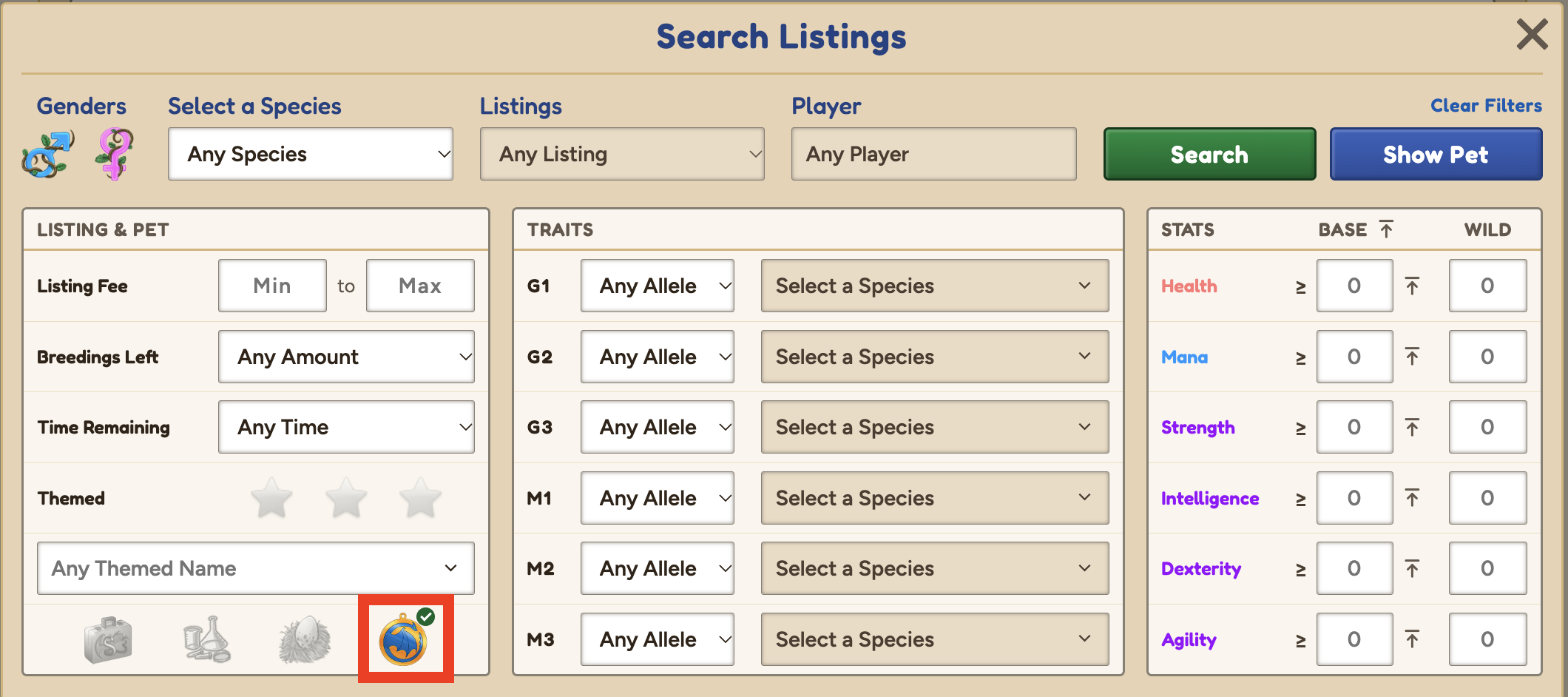
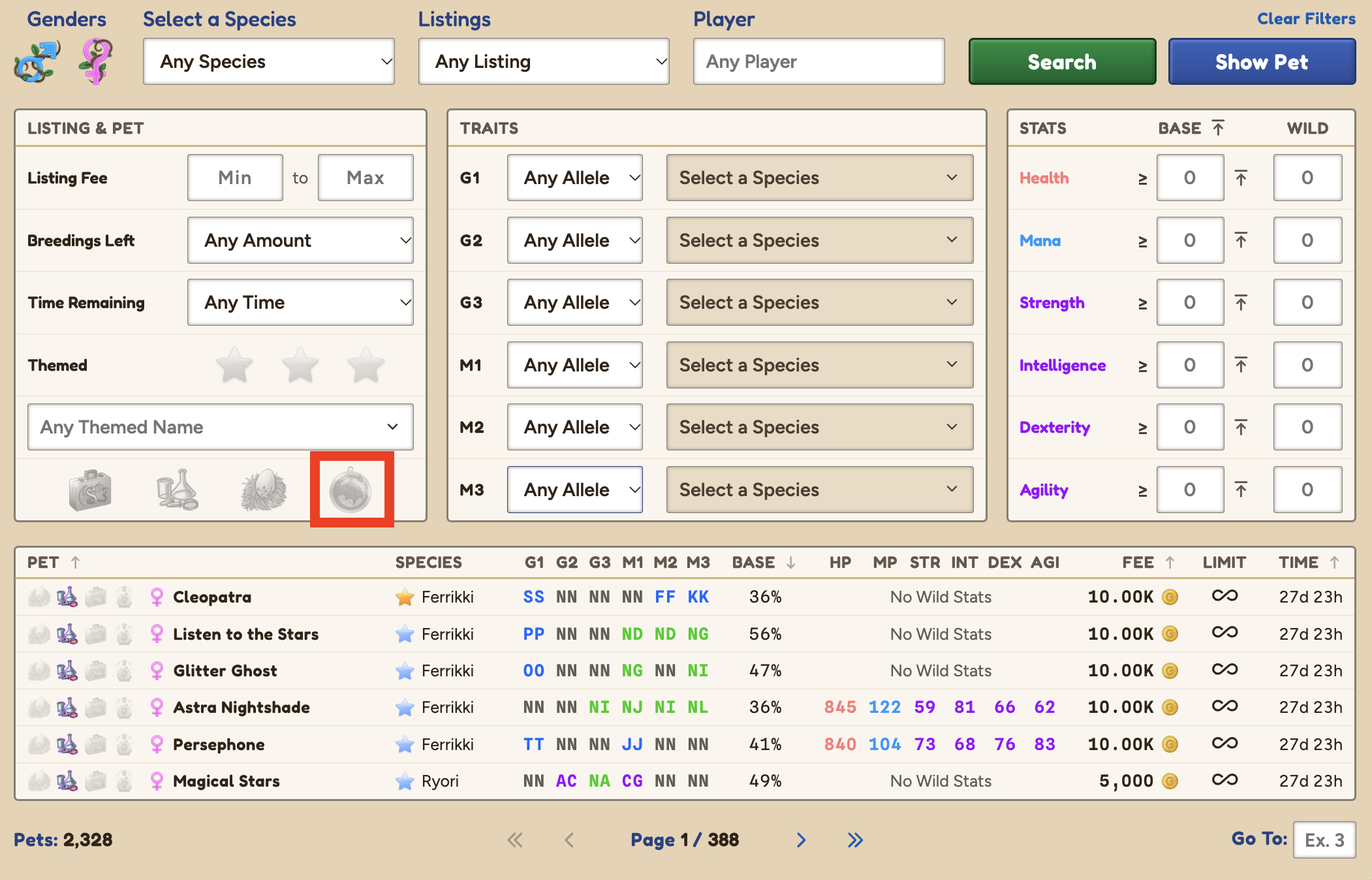
You can also search through your own pets!
This setting/toggle option will let you look through only pets you own:
This is the default, which excludes pets you own:
And you can look at all pets you are able to breed with (i.e. your and other people's pets) when you choose the greyed out option:
Will need to hit search to update the results, and you can add any additional filter parameters that you would usually want (i.e. traits, gender. etc.)
Edited By Ephemeral on 10/20/2026 at 8:03 PM.
Go to Page:
1, 2, 3, 4, 5, 6
Confirm Action
Are you sure you wish to delete this post?
Confirm Action
Are you sure you wish to restore this post?
Confirm Action
Are you sure you wish to report this post?
Go to Top
This Page loaded in 0.008 seconds.
Terms of Service | Privacy Policy | Contact Us | Credits | Job Opportunities